SSH Session
app-host.lab.internal
demo@app-host:~$
Connected

ShellYard
Connect to the host. Test the API. Inspect the database. Document the fix. All inside one Space.
ShellYard brings remote access, diagnostics, docs and IPAM, credentials, API testing, database inspection, and AI-assisted troubleshooting into one desktop app.
No account required · BYO AI provider · Built for private infrastructure
SSH, RDP, VNC, SSM, serial
HTTP, GraphQL, realtime APIs
Postgres, MySQL, SQL Server, Redis, Mongo, SQLite
DNS, MTR, Nmap, SNMP, TLS
Magellan explains the context
Runbooks, notes, IPAM, incident reports
The workflow
Troubleshooting infrastructure usually means jumping between terminal apps, API clients, password vaults, network tools, database clients, spreadsheets, stale docs, and chat threads. ShellYard keeps the connection, context, output, documentation, and handoff together.
ShellYard turns scattered infrastructure work into shared operational memory.
Before vs. after
It is a pile of tools, tabs, and tribal knowledge.
Before ShellYard
12 tabs. 6 tools.
3 stale docs.
1 person who remembers how it works.
After ShellYard
One Space
for the work.
ShellYard turns scattered infrastructure work into shared operational memory.
The differentiator
Postman-style clients are great when the API is reachable. ShellYard is built for the internal services behind jump hosts, VPNs, labs, and private networks.
SSH Session
app-host.lab.internal
demo@app-host:~$
HTTP Request
api.lab.internal
↳ Route: app-host.lab.internal
Response
{ "status":
  "healthy" }
Magellan
Response looks healthy. The request succeeded through the SSH route. I can document this workflow.
No manual port forwards. No switching tools. No losing the infrastructure context around the request.
Organize the work
Use Spaces for clients, sites, projects, labs, environments, or teams. Each Space keeps its own connections, docs, IPAM, credentials, tool context, and audit trail.
Lab Environment
For individual labs, experiments, and reference networks.
Connections
8 saved
Docs / Runbooks
14
IPAM subnets
3
Credentials
12 entries
Recent activity
6 events today
HTTP collections
5
Personal Space
For individual work, labs, and personal infrastructure.
Client / Site Space
For MSPs, consultants, and teams managing separate environments.
Team Space
For shared operational workflows, documentation, credentials, and handoff.
The simpler stack
Most teams pay across terminal clients, API tools, database tools, network utilities, docs and IPAM systems, and credential workflows. ShellYard brings the daily infrastructure workflow together — not your RMM, your ticketing system, or your monitoring stack.
ShellYard
One desktop
workspace.
Remote access. Diagnostics. HTTP / GraphQL / Realtime. Six database engines. Docs and IPAM. Vault. Magellan AI. Audit trail. All inside one Space.
Starts at $0 · Pro $24/mo annually or $29/mo monthly — save $60/yr with annual
ShellYard does not replace your RMM, PSA, ticketing system, or monitoring stack. It collapses the daily operations workflow — connect, troubleshoot, document — into one workspace.
Remote access
SSH, RDP, VNC, Telnet, serial, AWS SSM, embedded browser, and a local shell — same window, same auth model, same audit trail.
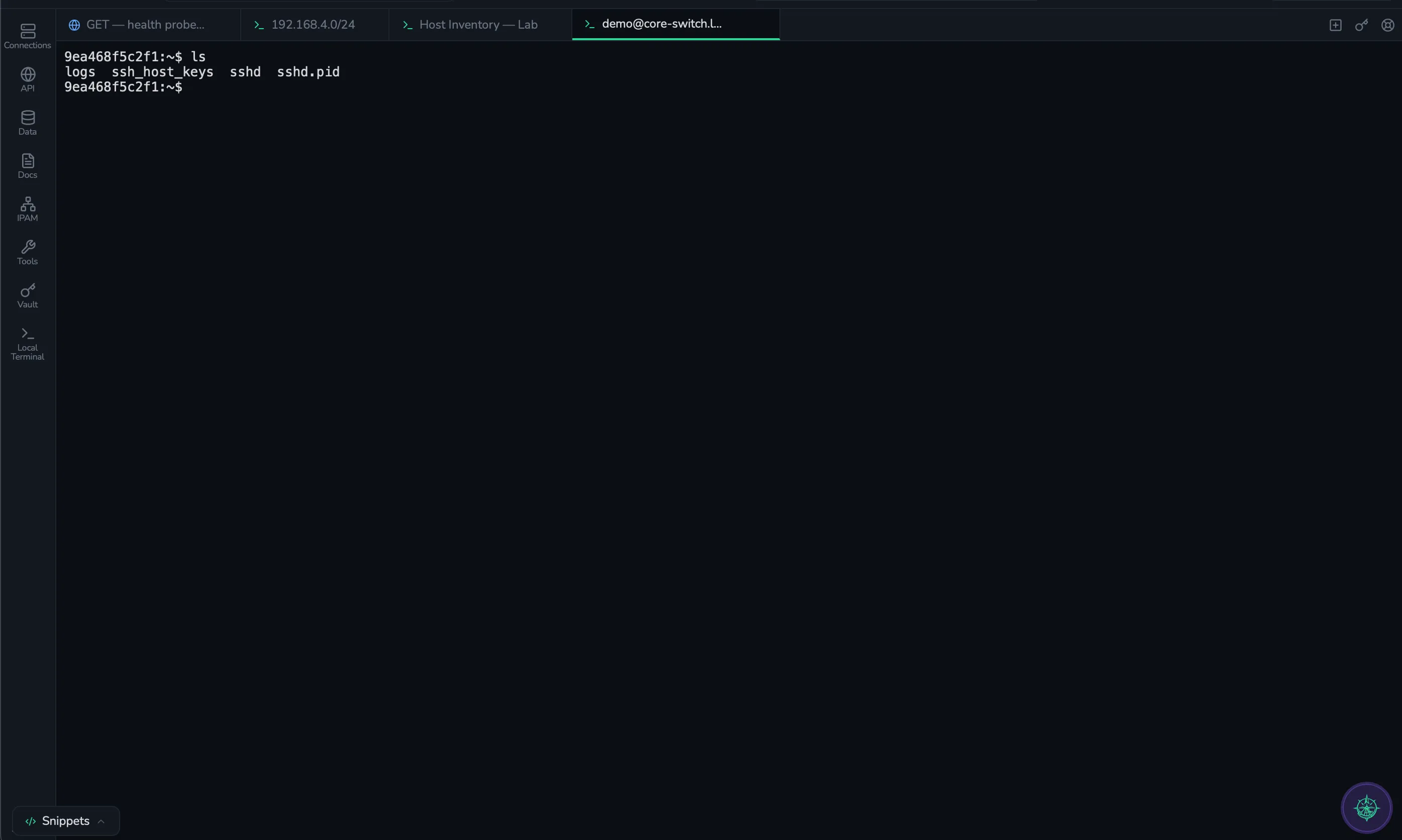
HTTP / GraphQL / Realtime
Full HTTP REST workflow — collections, environments, scripts, tests, and a runner that does sequential or parallel iterations with HTML and JSON reports. Imports from Postman v2.1, OpenAPI 3.x, cURL, and HAR. The differentiator is routing: any request can flow through an active SSH session, so internal-only APIs are reachable without staging port forwards.

Schema browser, query editor, live Health

Schema browser, query editor, live Health
T-SQL editor, schema browser, live Health

Open any .sqlite file — no server needed

Key browser, command shell, live Health

Collection browser, live Health
Data Inspector
Engine-aware query editor, schema browser, and live Health dashboards on every supported database. Routing inherits the connection — point a database at a saved SSH host and the connection tunnels automatically.
Network diagnostics
Probes, capture, decode, calc, and device-side workflows — every diagnostic surface attaches its current output to Magellan with one click. The point is not the count; the point is no tab-switching. Filter by category, or click any tile to see exactly what it does.
Ping, TCP probe, and traceroute snapshot for a single host.
ICMP across an IP range in parallel, live results.
Lightweight TCP port scan against any host or range.
Service detection and deep port scanning when you need it.
Layered Nmap + ping sweep over a subnet with results table.
Wireless access point discovery with channel + signal data.
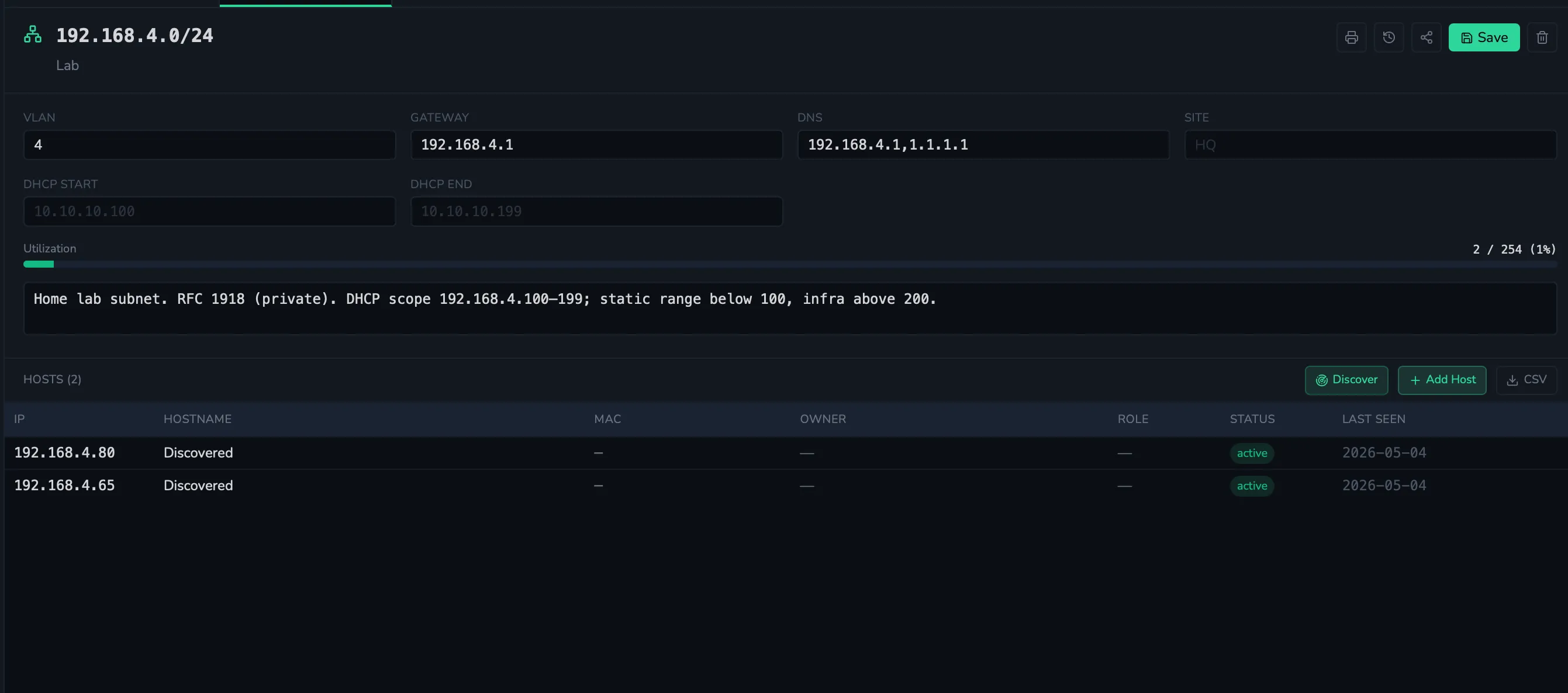
Scan a subnet and populate IPAM with discovered hosts.
Per-hop latency and loss with reverse DNS + ASN annotation.
Per-interface filter, save to PCAP for Wireshark.
Certificate chain, ciphers, SANs, and expiry in one view.
Forward, reverse, MX, TXT, NS, SOA lookups against any resolver.
Domain and IP registry lookups, RDAP-first with WHOIS fallback.
Probe NTP servers and check offset, stratum, and jitter.
Walk MIBs with v1 / v2c / v3, bundled standard MIBs included.
Live syslog server with severity filters and search.
Live SNMP-based interface bandwidth charts per device.
DHCP discover, request, and lease inspection over the wire.
base64, hex, URL, JWT, hash, and more — bidirectional.
Pretty-print, validate, and convert between JSON and YAML.
IPv4 / IPv6 ranges, supernets, splits, and reverse-lookup math.
Calculate power available on a PoE switch budget vs draw.
Validate cron, preview next 50 firings, DST-aware in any TZ.
Find which switch port a given MAC address landed on.
Browse Active Directory users, groups, and OUs.
Decode, verify (HMAC / RSA / ECDSA / PSS), and mint JWTs.
Generate keys, build CSRs, self-sign, sign with your CA, inspect PEMs.
TACACS+ and RADIUS probes — PAP, EAP-MD5, EAP-PEAP, EAP-TLS.
Send the same command to multiple devices in one run.
Parallel SSH execution across many hosts with output table.
Pull device configs and store them in the active Space.
Compare two backups line by line; spot drift fast.
TFTP / FTP / SFTP transfers with progress and validation.
Tiny TFTP server for firmware and config delivery.
Every tile attaches its current output to Magellan with one click. Or jump to all features.
Documents, IPAM, and Spaces
A Space is an isolation boundary for credentials, connections, documents, IPAM, HTTP collections, database connections, and audit trails. Personal Spaces stay private. Shared Spaces unlock multi-user collaboration on Team. Team and Enterprise both mint a customer-managed KMS key per Shared Space — credentials shared into a Space are decryptable only by Space members, and cryptographic erasure on offboarding wipes them under the AWS pending window.
Magellan
Magellan uses context from ShellYard tools — terminal output, HTTP responses, database results, diagnostics, config diffs, docs, and IPAM — to explain what happened and help document the fix.
Ask Magellan
Explain why this API returned 401.
Summarize this terminal session into a runbook.
Compare these switch configs and tell me what changed.
Search this Space for anything related to DHCP failures.
Create an incident report from this troubleshooting session.
What should I check next?
Magellan
Replied · 1.2 sMagellan found a failed API request, a recent config change, and a related runbook in this Space. Suggested next step: verify the upstream service and document the SSH-routed API test.
Attached context
You control what context is attached. ShellYard shows every snapshot before send and redacts secrets client-side.
Five-stage flow: Explain → Suggest → Draft → Review → Execute. You always run the command. Magellan never executes autonomously.
Built for
Per-client isolation is the whole job. One Space per client — connections, credentials, docs, IPAM, audit, and tool context never bleed between clients. Per-Space customer-managed KMS on Team and Enterprise; cryptographic erasure on offboarding.
Explore MSP workflowsThe kit you actually use — SSH, serial console, SNMP browser, MTR, Nmap, TLS inspector, packet capture, config backup + diff — in one cross-platform desktop. Every tool's output snapshots into Magellan with one click.
Explore network workflowsTest internal APIs without standing up a port-forward. Any HTTP / GraphQL / realtime request routes through your active SSH session — alongside six DB engines, real terminals, and BYO-key AI that never proxies through us.
Explore DevOps workflowsOne way every engineer connects, troubleshoots, documents, and hands off. Shared Spaces with audit trail, Magellan grounded in the workspace, IT Glue and Hudu importers for the docs you already maintain. Onboarding goes from a wiki crawl to a Space invite.
Explore team workflowsBuilt for private infrastructure
Desktop-first
Sessions run from the operator's machine, not a hosted backplane.
On-device execution
Terminal, network tools, HTTP requests, and database queries run locally.
BYO AI provider
Your Anthropic / OpenAI / Gemini / Ollama key. ShellYard takes no AI markup.
Space-scoped context
Magellan only sees what you attach inside the active Space.
User-controlled attachments
Every snapshot the model receives is visible before it sends.
Local-first Free tier
Encrypted SQLite vault on disk with the master key in your OS keychain; nothing syncs off the machine.
KMS-backed sync where applicable
Cloud-synced vault and Documents are encrypted on the cloud side.
Per-Space audit trail
Every credential access, command, query, and Magellan call is logged.
Audit export on Team
CSV export filtered by actor, action, target. Per-Space on Enterprise.
Full details — what's encrypted where, what Magellan can and cannot see, audit-log coverage — live on the security page.
First 5 minutes
A clear path to the moment ShellYard earns the workspace label.
Add an SSH connection.
Open a terminal or run a health check.
Test an internal API through the connection.
Ask Magellan to explain the output.
Save the result as a runbook or note.
Pricing
Free is genuinely free, no card. Pro starts with a 14-day trial; Team gets 30 days. Credit card required, cancel before the trial ends with no charge.
For individual evaluation and personal infrastructure workflows. No account required — download and start.
No account required. No credit card. Free is a real evaluation tier — keep using it forever or upgrade when you need persistent workflows.
For solo operators, consultants, and power users who want persistent workflows.
$24/mo annually ($288/yr) or $29/mo monthly — save $60/yr with annual. 14-day free trial — credit card required, cancel any time before day 14 with no charge.
Everything in Free, plus
For teams managing shared infrastructure workflows.
$49/seat/mo annually ($588/seat/yr) or $59/seat/mo monthly — save $120/seat/yr with annual. 3-seat minimum. 30-day free trial — credit card required, cancel any time before day 30 with no charge.
Everything in Pro, plus
For organizations that need stronger isolation, retention, and compliance-oriented controls.
From $99/seat/mo billed annually ($1,188+/seat/yr). 10-seat minimum. Custom annual contracts.
Everything in Team, plus
Download ShellYard and try the workflow: connect to a host, test an internal API, ask Magellan, and save the fix as a runbook.